 AI Lead Enricher
The profile is open. Everything else takes six seconds.
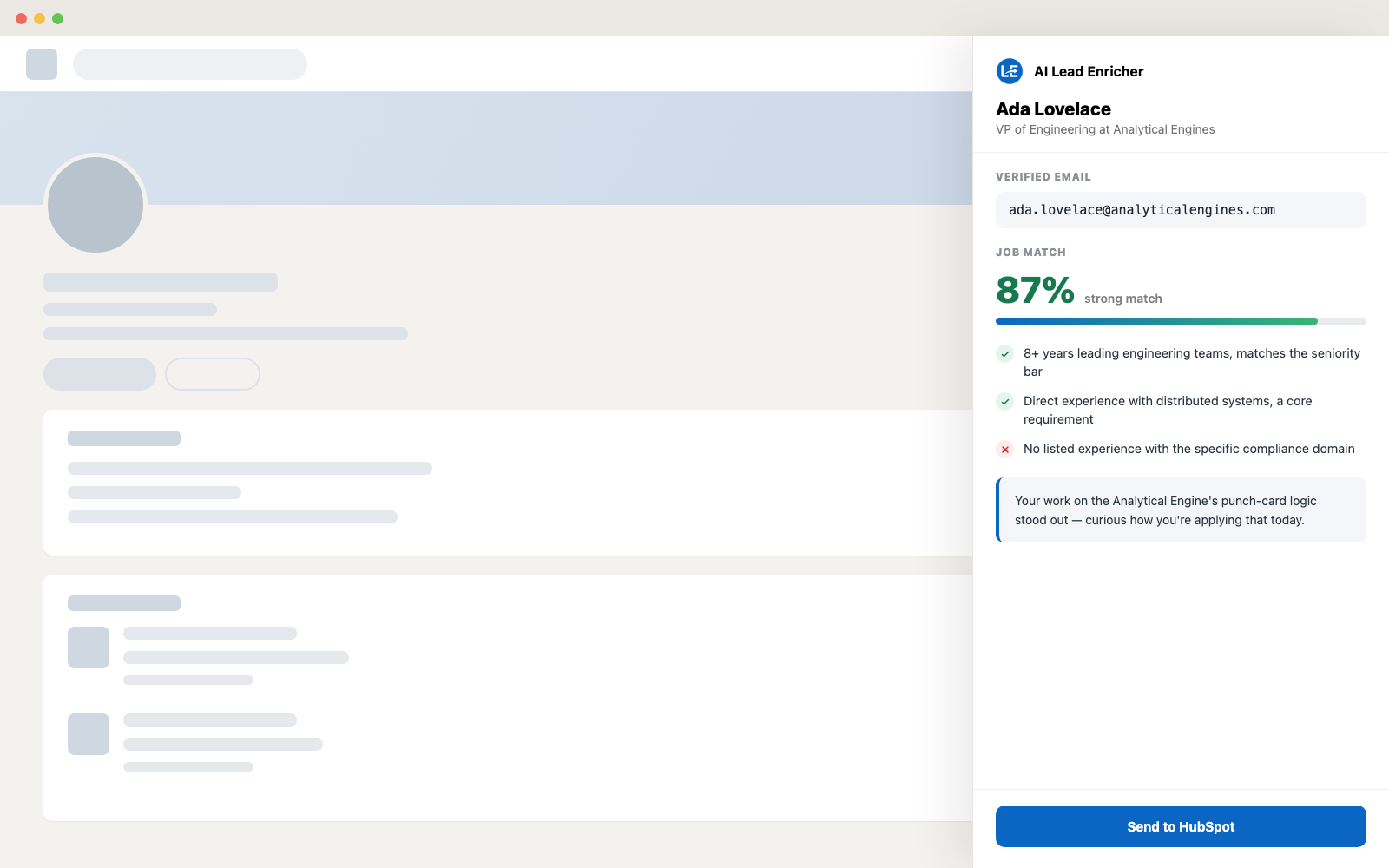
Open a LinkedIn profile and a panel fills itself in beside it: a verified work email, an opener written from what that person actually did, and a match score against the role you're hiring for. Then it goes to your CRM without a spreadsheet in between.
Beside the profile, never on top of it
The panel docks to the right of the page, so you read what the extension found and what the person wrote at the same time. Enrichment runs on its own; the match score and the experience summary are there when you want them, and they don't cost a credit.
What one click gives you
One credit covers the whole enrichment. Everything below happens in the same pass.
Finds the work email
It reads the company domain off the profile, builds the patterns that domain actually uses and verifies them before showing you one. Every address comes with a confidence figure, so a guess never looks like a fact.
Writes the first line
Two sentences drawn from their last role and their own words, in your language and your house style. Set the instruction once; every opener after that reads like you wrote it.
Scores against the role
Save a posting as a link, pasted text or a PDF, and every profile comes back with a match percentage and the reasoning under it: what's met, what's missing, what to ask about.
Your first lead, step by step
Six steps from a fresh install to a lead in your CRM. Click any step to see that screen.
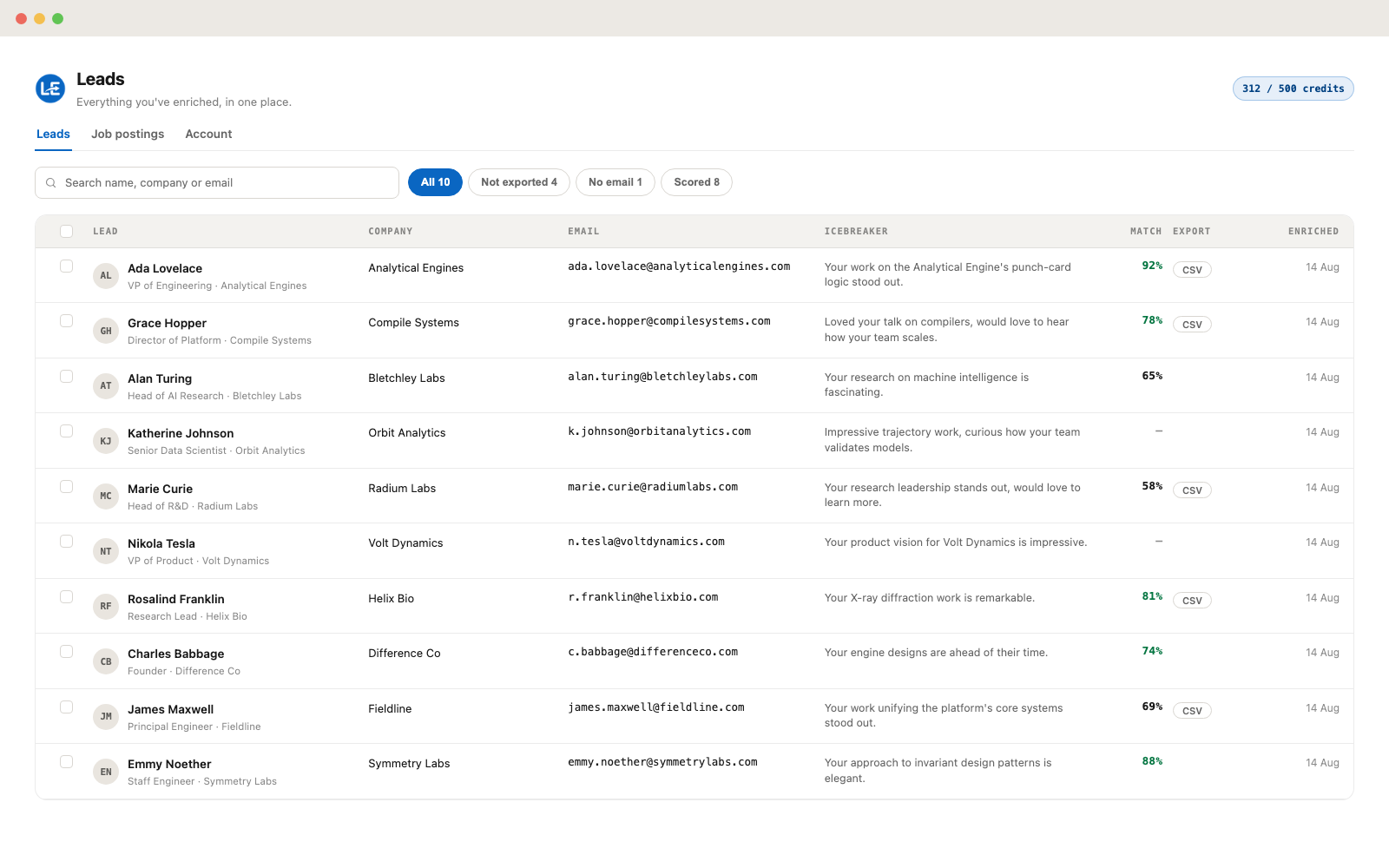
Every lead you kept, in one table
Filter by score, by missing email, by what you haven't exported yet. Select a batch and send it to HubSpot, Notion, Google Sheets, a webhook or a CSV — or re-score the whole selection against a different posting.
Two plans, one difference
Every feature is in both plans — matching, summaries, exports, the leads table. You pay for volume.
Enough to work a handful of profiles a week.
For daily sourcing, when the free credits run out mid-week.
Pro renews monthly and can be cancelled any time from your Account page — you keep Pro until the end of the period you've paid for. Credits reset every 30 days and don't carry over.
Questions people ask first
Do you need my LinkedIn password?
No. The extension reads the profile page you already have open in your own session, and never asks for or stores your LinkedIn credentials.
Is this bulk scraping?
No. It works one profile at a time, on pages you open yourself. There's no crawler and no list-harvesting mode.
What spends a credit?
Only enrichment — the email and opener. Job matching, experience summaries, re-scoring and exports are free and unlimited on both plans.
What happens when I run out?
The panel tells you and keeps everything you've already enriched. Credits refill on a 30-day cycle; Pro raises the ceiling to 500 a month.
Install it, open a profile, see what comes back
Twenty-five enrichments a month on the free plan, no card. Upgrade to Pro when you run out.